Back in June, I wrote about how triage and reviews in WordPress could be optimized with the help of AI. Since then, discussions have taken place, and last week, James LePage released the Trac MCP Server, which is now capable of interacting with Claude and ChatGPT. A demo of the MCP server is available here. With this in mind, I would like to share my perspective on how this can be applied now.
Before I dive in, it’s worth noting that this isn’t a problem that can be solved by one person or one view. It also doesn’t just solve looking at one tool or Trac, GitHub alone. It happens during discussions, when multiple people think about this and then explorations take place. It does, however, need to start, and we can do that without disrupting our existing flows. AI can empower us, and tools like this can improve and boost our flows today.
MCP Servers: Lightweight programs that each expose specific capabilities through the standardized Model Context Protocol
The issue
WordPress has thousands of open tickets spanning many years. Humans are not as good at pattern matching as AI. We do, however, pattern match, and we work well when they are brought to our attention. Whilst closing all tickets via automation would be a friction point, using AI to support, guide and surface what should be worked on makes a lot of sense. Traditional triage is manual, often even though we can use the best reports, which are not as scalable as we would like.
The current reporting tools in Trac are limited to the interface. They are bound by query construction and are not often created using natural language, so their formation is disjointed and frequently problematic for many to access.
Starting with prompts
This is where tools like the Trac MCP Server can be beneficial. For example, Claude allows you to prompt to get an output. If we think of these as ‘reports’ in the loose term, they can be tested in triage sessions.
The Trac MCP Server unlocks the data and could, through Claude or ChatGPT, even surface the project’s health. A key point, though, is not to use it to replicate the tasks that reports do today. It can do more and should do.
Building up fidelity like this is a process we are all familiar with in engineering. You algorithmic work out something, then you build it, then you automate it. If you utilise AI, you can achieve better results, and we all know this. It’s just tempting to skip to the good part of letting AI hallucinate a prompt sometimes.
Not just triage, context
Through this MCP server, access is available to all WordPress development history in Trac. Every bug, enhancement, discussion and decision. This goes beyond triage, so worth noting. Imagine you want, for example, context on decisions. You can do that by querying a ticket. I decided to go on a little journey.
For example, consider the following prompt: “What is happening in WordPress development right now?”
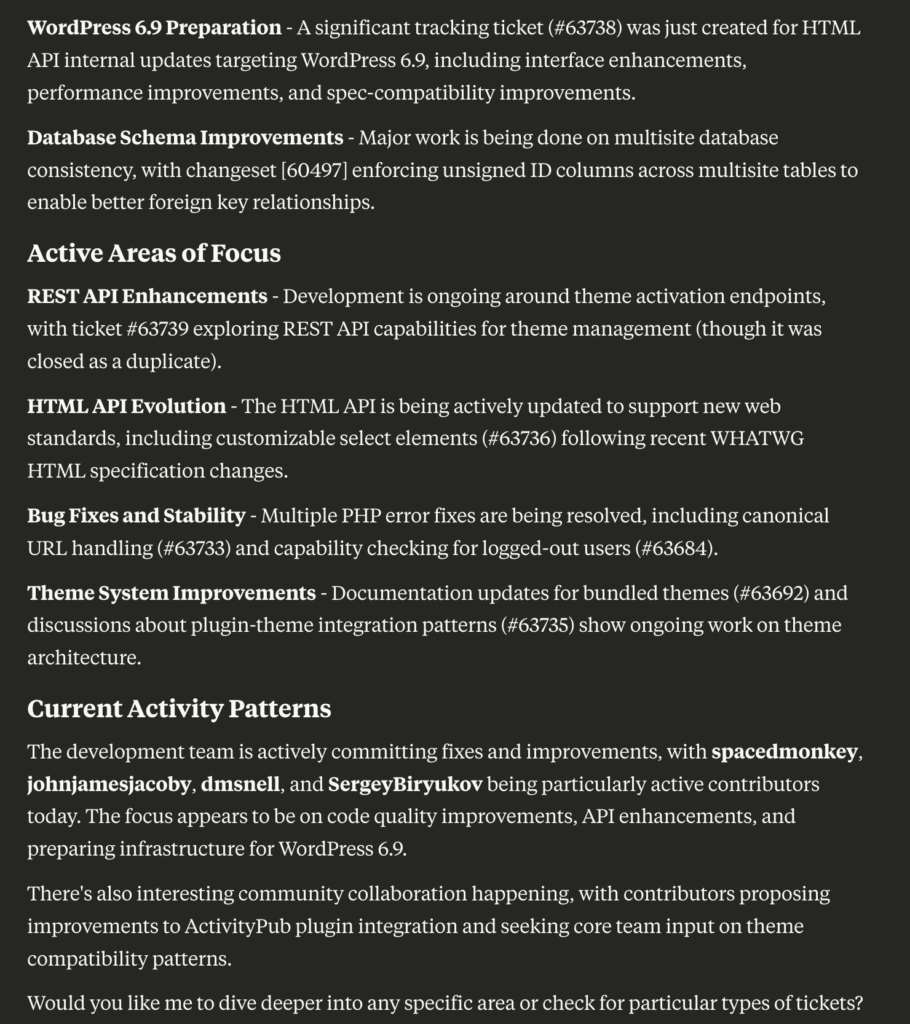
Perhaps you’d like to delve a bit deeper into: “What types of tickets are sitting open vs. getting fixed?”
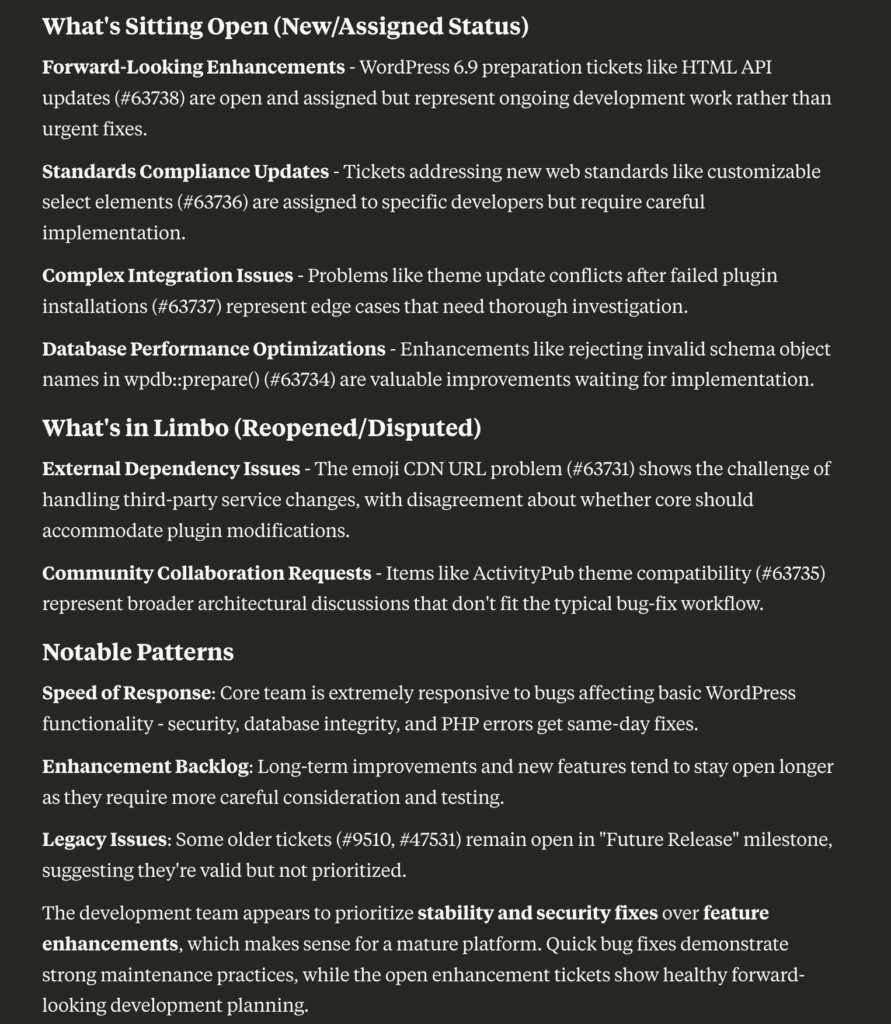
I then went a little more into things: “Can I predict which tickets need attention?”. I began thinking about a severity classification framework in collaboration with Claude; by doing this, I could create a report that queried. This would give me an action list to compare against the predictions. This is how to level up this type of data.
The key issue to resolve here is figuring out which classification framework to use and how an agreement is reached. It’s all well and suitable for each of us to use a different one that we vibe with, but there needs to be a standard for the project. This is achievable, though, and it starts with using all we know and use daily in triage. Once we have that, we can have a standard to measure by.
This can be used in a variety of applications, from triage to product management and writing posts to providing context for yourself. Having this type of easy, natural access unlocks the hidden history of WordPress development.
Extra level
If the reports are consistently surfacing correct results, we should add even proposed closings. We only do that once the reports are consistent. An MCP server delivers data, allowing AI to access it, and that’s where the power comes in.
This may not require an interface. At some point, perhaps, but right now, exploring what can be unlocked by prompting is where the true power lies. You can pipe it in and generate something. You can vibe a dashboard (I did for a timebox fun), but that’s a nice-to-have tool, or at least distracts from how useful this can be if the prompting can be refined and data dug into. The more personally I use tools like this, the less I want an interface beyond a prompt, at least to start. I want to work out how they will be helpful.
Considerations
As with anything freshly baked like this, there are considerations and caveats. Trac is just one place where things happen; GitHub is the other, so we do need a way to see a holistic picture to know the entire state. Other things we likely need are an easier way to query based on users, although the reports in Trac are well-suited for that purpose. We need to be continuously mindful that this is not to replicate or replace those, but go beyond and give us something they don’t, not be bound by the reporting tool’s interface.
Access to this meant I used my Claude account, and while many have this, we need to be considerate that not everyone has access to these tools yet at the paid tiers. That was why seeing ChatGPT support added was great. Overall, though, the barrier to entry is low, and I encourage people to explore and see what they can create.
Reflections
The future of open source development isn’t just about better code; it’s about better intelligence on how we build that code. We need that access where we work. One pattern I have noticed with this MCP server is how useful it is to have it exist for me. Simply knowing I can prompt like this means I do. There is a strong case to be made for no interface, but reusable prompting at least while we work out agentic approaches to triage.
I find myself exploring this data because it is accessible to me. I say that as someone who can create reports in Trac. But, there is something much more human about the way we create prompts. This is also the first week of the Trac MCP server. Let’s see what the next iterations bring and where others take this.